Elegant Lace A-Line Dress: A Sophisticated Garden Wedding Guest | High-resolution Ultra-realistic Cinematic
Picture a sun-drenched garden where every rose petal seems to hold a whisper of romance, and at its heart stands a woman whose elegance feels both timeless and deeply personal. That is the world this prompt invites you to create—a high-resolution, ultra-realistic cinematic portrait that blends the precision of AI with the warmth of a real human face. It is designed for anyone who wants to capture the essence of a sophisticated wedding guest without losing the unique identity of their subject.
The key to this image lies in its dual demand: it asks for a full-body fashion shot that could grace the pages of a bridal magazine, yet it anchors everything to an uploaded reference photo. By insisting on exact facial preservation, the prompt ensures the final result is not just a beautiful stranger, but someone you recognize. From the soft chignon to the pale pink lace, every detail works together to build a scene that feels both aspirational and achievable.
What this elegant lace A-line dress prompt is asking for
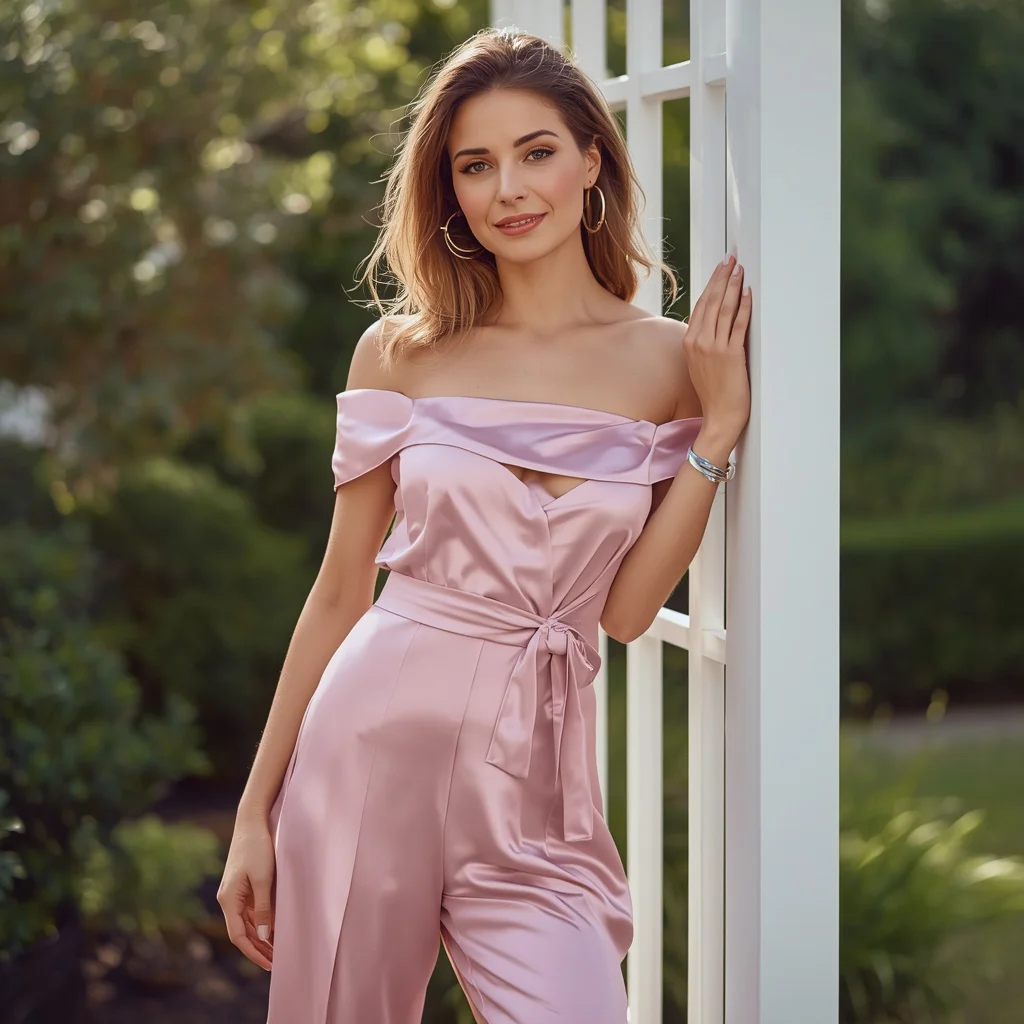
This prompt instructs the AI to generate a cinematic, ultra-realistic full-body photograph of a woman at a garden wedding. It places heavy emphasis on using an uploaded reference image to lock in the subject’s exact facial identity, skin tone, and age, ensuring the output feels like a genuine portrait rather than a generic model. The scene is steeped in romantic charm, with specific wardrobe and styling cues that guide the AI toward a cohesive, polished look.
- A full-body shot of a woman standing gracefully among blooming roses at a garden wedding
- The uploaded reference image used strictly as the ONLY face reference, preserving exact facial identity, structure, skin tone, and age
- Long, layered chestnut-brown hair styled in an elegant, soft chignon with a delicate hairpiece
- A sophisticated, knee-length pale pink lace A-line dress with a modest boat neckline and delicate cap sleeves
- Intricately patterned lace fabric on the dress
- Accessories including delicate pearl earrings and a simple silver bracelet
Stepping into the romantic garden wedding scene
The visual story unfolds in a garden wedding setting that feels lush and alive. The prompt places the subject directly among blooming roses, with the phrase “standing gracefully amidst blooming roses at a beautiful garden wedding” setting a stage that is both natural and celebratory. Soft, diffused light likely filters through foliage, casting a cinematic glow that enhances the ultra-realistic quality the prompt demands. The overall mood is one of quiet sophistication, as if the viewer has stumbled upon a candid moment of poised elegance.
The composition is guided by the request for a full-body shot, which means the AI must frame the woman from head to toe, allowing the knee-length dress and her stance to become key storytelling elements. The prompt’s focus on “exuding romantic charm” pushes the atmosphere beyond a simple portrait into something more emotive. The roses are not just background filler; they are an active part of the scene, their colors and textures contrasting with the pale pink lace to create a harmonious, painterly effect.
Why this prompt creates a standout wedding guest portrait
This prompt excels because it balances technical precision with aesthetic warmth, making it ideal for personal keepsakes, invitations, or fashion inspiration boards. By locking the AI onto a real face, it avoids the uncanny valley that often plagues generated portraits, while the detailed wardrobe description ensures a cohesive, high-end look. The garden setting adds a layer of natural beauty that elevates the image from a studio shot to a storytelling moment.
- It preserves personal identity through a strict face-reference rule, making the portrait meaningful for the user.
- The combination of a pale pink lace dress and rose garden creates a universally flattering, romantic color palette.
- The cinematic, ultra-realistic directive pushes the AI to produce an image with dramatic lighting and fine texture detail, suitable for print or digital display.
Three visual styles that work within this prompt
This prompt is built for a cinematic, ultra-realistic look, but there are three distinct stylistic directions you can emphasize without changing a word of the core description. Each style keeps the pale pink lace dress and garden setting intact while shifting the mood and finish slightly, giving you creative control over the final image.
- Golden Hour Romance: Emphasize warm, backlit sunlight filtering through the roses to give the pale pink lace a luminous, almost ethereal glow.
- Editorial High Fashion: Push the contrast and sharpness to mimic a magazine cover, making the intricate lace pattern and pearl earrings pop against a slightly desaturated garden background.
- Soft Vintage Film: Add a subtle grain and muted pastel tones to evoke the feel of classic film photography, softening the chestnut-brown hair and silver bracelet highlights.
How to generate this image step by step
Turning this prompt into a stunning photograph requires a careful workflow that respects both the AI’s capabilities and the importance of the reference image. The process is straightforward but demands attention to detail, especially when checking facial fidelity and fabric rendering. Follow these six steps to get a result that looks like it was shot by a professional wedding photographer.
- Prepare your reference photo. Select a clear, well-lit portrait where the subject’s face is fully visible, and upload it to the AI tool with the prompt.
- Copy the full prompt text. Paste the entire prompt into the image generation field, ensuring no words are accidentally deleted or altered.
- Generate the initial image. Run the prompt and let the AI produce a full-body shot, paying attention to how it interprets the garden setting and dress.
- Check the face and facial structure. Zoom in to verify that the generated face matches the uploaded reference in structure, skin tone, and age, as the prompt strictly requires.
- Inspect the hands and lace details. Examine the hands for natural posing and the lace for intricate, undistorted patterns, which are common failure points.
- Regenerate or refine if needed. If the face, hands, or dress details are off, adjust the seed or slightly rephrase the reference emphasis and generate again.
Choosing the right reference photo for face preservation
The success of this prompt hinges almost entirely on the quality of the reference photo you upload. The AI is instructed to treat it as the sole source for facial identity, so any flaws or ambiguities in the original will carry over into the generated image. A well-chosen reference makes the difference between a portrait that feels authentically personal and one that misses the mark.
- Use a front-facing or slightly angled portrait with even, natural lighting to give the AI a clear map of facial features and skin tone.
- Ensure the reference shows the subject with a neutral or softly smiling expression, as extreme expressions can confuse the AI when placing the face in a new full-body pose.
- Avoid photos with heavy makeup, hats, or shadows across the face, since the prompt needs to read the exact facial structure without obstructions.
Best AI tools for this cinematic garden wedding prompt
Different AI image generators handle face preservation, fabric textures, and cinematic lighting with varying degrees of success. The table below compares four popular tools you can use to bring this elegant lace A-line dress prompt to life, focusing on how each one manages the specific demands of the scene.
| Tool | Access | Typical realism | Useful here for |
|---|---|---|---|
| ChatGPT | Subscription or limited free tier | Moderate to high, with strong prompt adherence | Preserving the exact facial identity from the uploaded reference while rendering the pale pink lace dress accurately. |
| Google Gemini | Free tier available, integrated with Google services | High, with good texture detail | Capturing the intricate lace pattern and the soft chignon hairstyle in a cinematic full-body composition. |
| Leonardo AI | Freemium with daily token limits | High, especially with cinematic presets | Generating the blooming roses and romantic garden lighting that complement the delicate pearl earrings. |
| Midjourney | Paid subscription only | Very high, known for artistic and realistic outputs | Achieving the ultra-realistic cinematic look with dramatic depth of field, making the silver bracelet and cap sleeves stand out. |
Three tips to perfect the lace dress and garden details
Small adjustments in how you guide the AI can dramatically improve the realism of the fabric and setting. These tips focus on the tangible elements within the prompt, helping you avoid common pitfalls and enhance the visual impact of the pale pink lace A-line dress and its surroundings.
- Add a negative prompt to exclude modern distractions like plastic cups or signage that could clash with the delicate pearl earrings and romantic garden vibe.
- If the lace pattern looks smudged, try adding a short phrase like 'crisp lace texture' in a refinement step to sharpen the intricate patterning on the dress.
- To make the chestnut-brown hair look more natural in the soft chignon, use a seed image or reference that shows the hair color in similar lighting to prevent flat or artificial tones.
Troubleshooting common failures with this prompt
Even a well-crafted prompt can produce images that miss the mark, especially when dealing with face preservation and detailed fabrics. The table below outlines four issues you might encounter and the specific changes you can make to fix them without rewriting the entire prompt.
| Issue | What to change |
|---|---|
| The generated face does not match the reference image | Strengthen the face-reference language by adding '100% identical to the uploaded face' or use a tool with stronger img2img capabilities. |
| The lace pattern appears blurry or melted | Increase the resolution settings or add 'sharp lace detail' to the prompt, and avoid overly compressed reference images. |
| Hands look distorted or have extra fingers | Add a negative prompt like 'bad hands, mutated fingers' and consider using an inpainting tool to fix the specific area. |
| The garden background overpowers the subject | Adjust the composition by adding 'subject in sharp focus, background softly blurred' to create a shallow depth of field. |
Frequently Asked Questions
Can I change the dress color from pale pink to another shade?
Yes, you can modify the prompt to specify a different color, but keep in mind that the rose garden setting and romantic charm were described with pale pink in mind. A shift to a bold color like red might clash with the delicate pearl earrings and soft chignon, so you may need to adjust the overall mood description to match.
What if the AI ignores the boat neckline and gives a different neckline?
This can happen if the AI prioritizes other details. To fix it, you can add emphasis by repeating 'modest boat neckline' in the prompt or using a negative prompt like 'v-neck, sweetheart neckline.' Checking the generated image early and regenerating with that emphasis usually solves the issue.
Is it possible to generate this image without an uploaded reference photo?
Technically yes, but the result will feature a generic AI-generated face rather than a specific person. The prompt is designed to preserve exact facial identity, so removing the reference defeats its primary purpose and will likely produce a less meaningful portrait.
Conclusion
This prompt is a masterclass in blending personal identity with editorial-style fashion photography. By anchoring the image to a real face and surrounding it with the soft textures of lace, pearls, and garden roses, you can create a portrait that feels both intimate and grand. Whether you are designing a save-the-date card or simply exploring AI’s potential for personalized art, the result is a high-resolution, cinematic keepsake that honors the subject’s unique beauty. With the right reference photo and a few careful refinements, your generated image will capture the sophisticated spirit of a garden wedding guest in stunning detail.
Remember to only edit and share a photo you have the legal right to modify, ensuring the subject has given consent for any AI-generated transformations.